
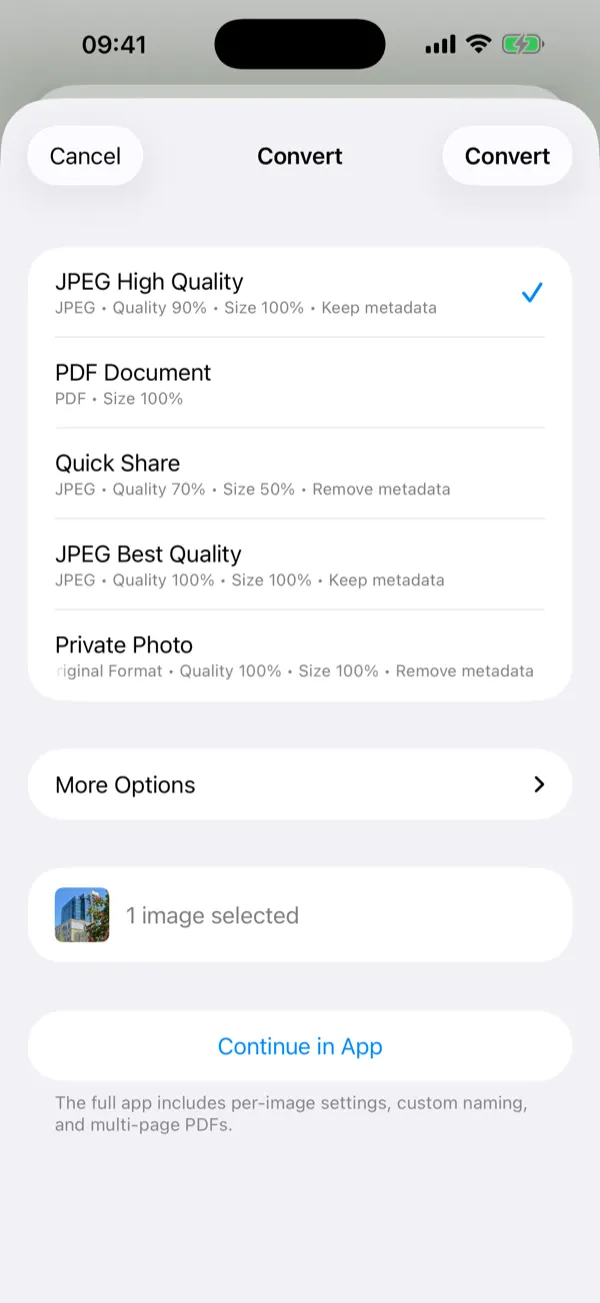
Share Extension
Select photos in any app, tap Share, convert in one step — without opening the app. Pro unlocks batches and every format right from the sheet.
Batch image conversion for iPhone and iPad — seven formats, precise quality control, and metadata removed before you share. Entirely on your device.
Free on the App Store · iOS 16+ · iPhone & iPad
Formats
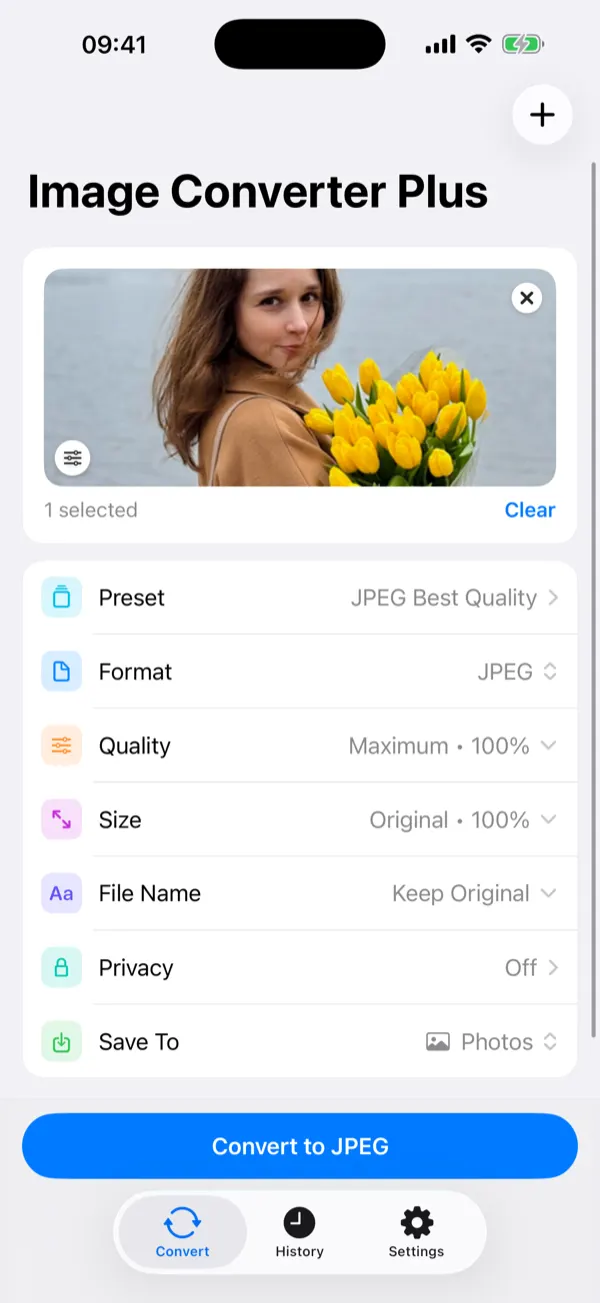
Convert between the formats that matter — and pick the right balance of quality, compatibility, and size.
PNG 18 MB → WebP 1.5 MB · same picture
Control
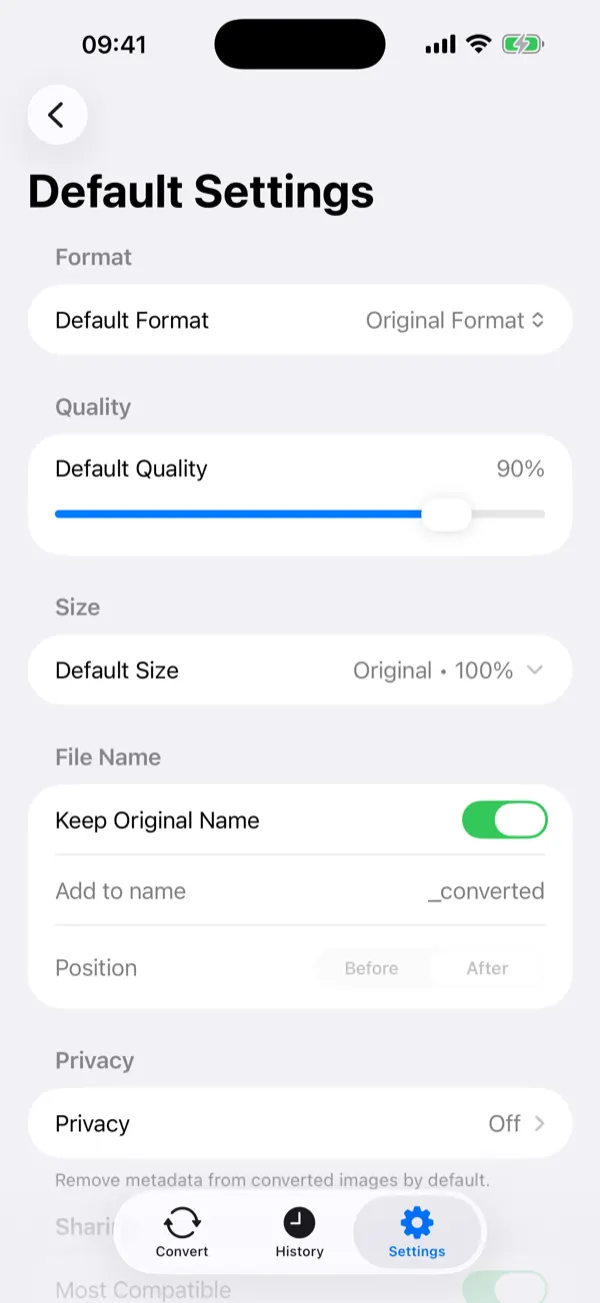
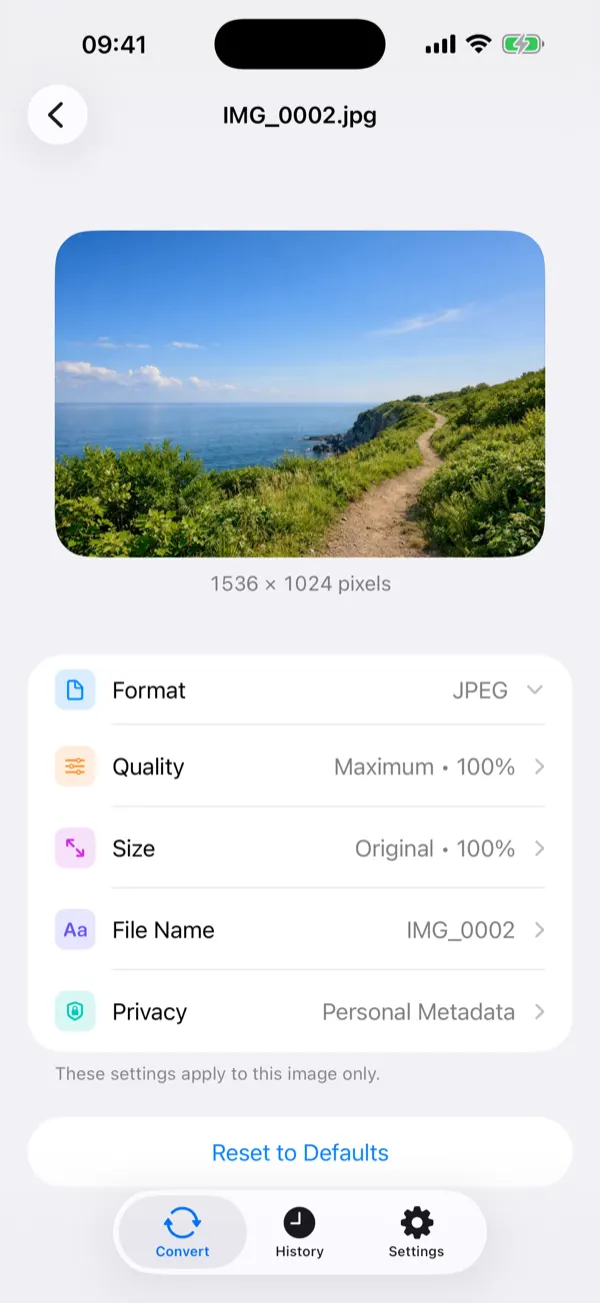
Set quality anywhere from 40 to 100% — or snap to one-tap levels from Low to Maximum, per image or as your default.
Scale from 50 to 200% and override format, quality, or naming per image — or apply one setup to the whole batch.
Keep original names, add a prefix or suffix, or rename each file by hand before it's saved.
JPEG High Quality, PDF Document, Quick Share, Private Photo — format, quality, size, and metadata handling already dialed in.
Privacy
GPS coordinates. Camera model. Timestamps. Edit history. It all travels with the file — unless you remove it.
Read locally in your browser. Never uploaded.
0 fields found
THIS PHOTO KNOWS WHERE YOU WERE.
Map tiles load from Google — your photo never leaves this page.
Clean. Image Converter Plus does exactly this — to every photo, in batches, right on your iPhone. With granular control over all six categories.

GPS coordinates and place names
Date, time, and camera settings
Caption, keywords, and author
Model name and identifiers
App name and edit records
Thumbnails and extra data
Workflow
Select photos in any app, tap Share, convert in one step — without opening the app. Pro unlocks batches and every format right from the sheet.
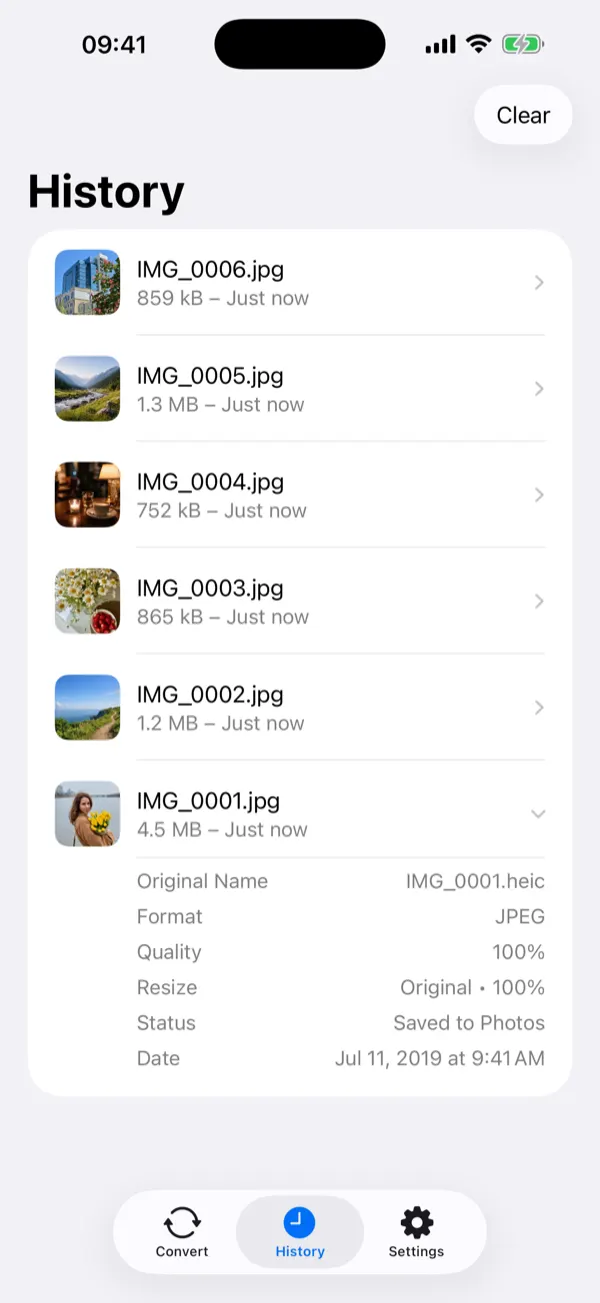
Every conversion saved with a thumbnail. Re-export to Photos, Files, or the Share Sheet anytime — auto-delete keeps it tidy.
Every image is processed on your device — conversion works even in Airplane Mode. An internet connection is used only for purchases and the optional rewarded ads free users can choose to watch. That's the whole list. Read the Privacy Policy
Pro
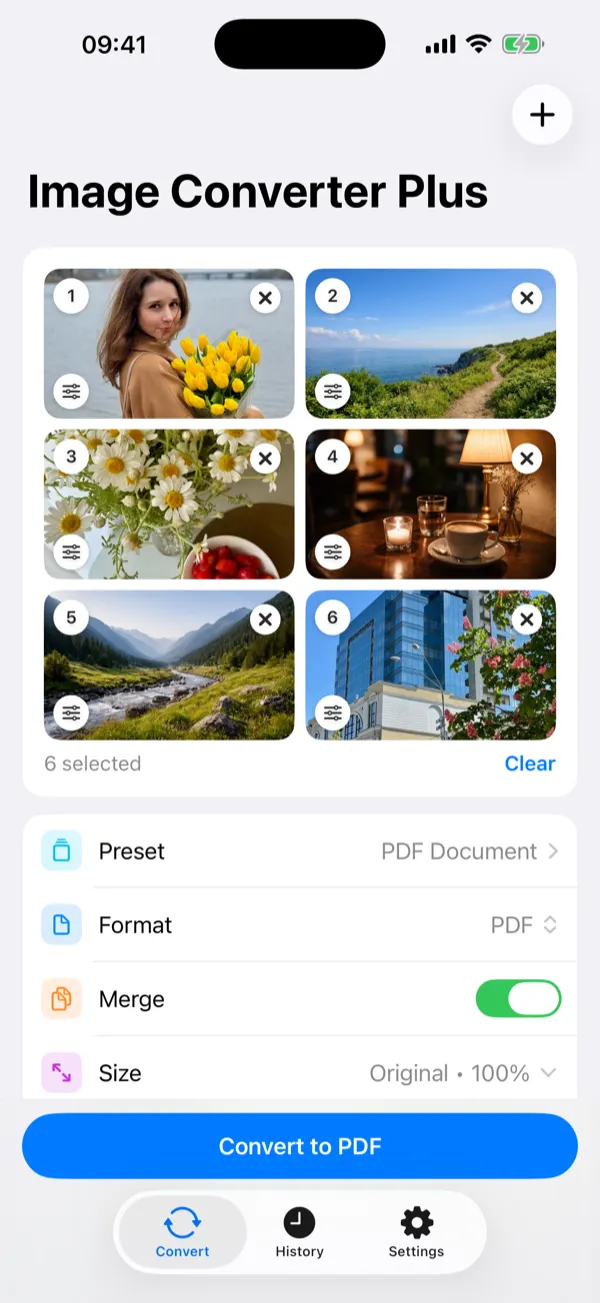
All seven formats, for every use case — including whole batches merged into one PDF.
Full EXIF removal with four privacy presets and granular control.
Convert hundreds at once — in the app or straight from the Share Sheet.
Lifetime access.
One-time purchase. Subscriptions available too. Family Sharing included.
For everyone
60 languages with an in-app picker. VoiceOver, Dynamic Type, and haptic feedback throughout.
Free to download. Pro when you need it.

Available on iPhone and iPad. Requires iOS 16 or later.